
FikarFix...
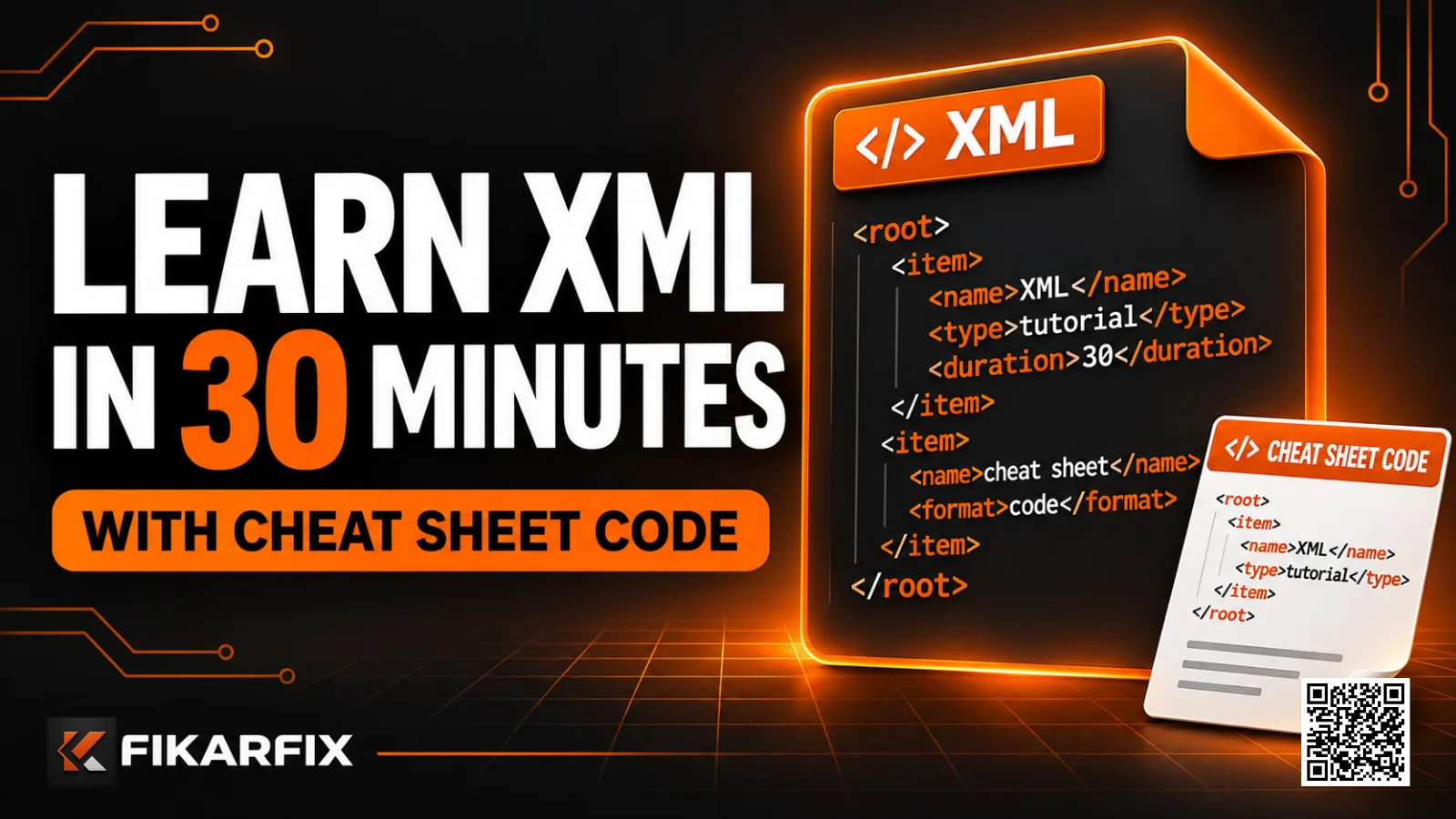
Learn XML in 30 Minutes — With Cheat Sheet Code
Nov 16, 2026
Tutorials
73 views
Learn XML in 30 Minutes — With Cheat Sheet Code
Kashif Iqbal
XML (Extensible Markup Language) is a text format for storing and exchanging structured data. You invent your own tags, such as <invoice> or <product>, and nest them to describe exactly what your data means. JSON has taken over most web APIs, but XML is everywhere else in 2026: sitemaps and RSS feeds, SVG graphics, Office documents, Android layouts, Maven and .NET project files, e-invoicing standards, banking messages and countless enterprise integrations. If you work with data, you will meet XML, so it pays to learn XML properly.
This guide is for developers, SEO specialists, analysts and students who need to read, write, validate and transform XML with confidence. In 30 minutes you will learn the syntax and well-formedness rules, namespaces, validation with DTD and XML Schema, querying with XPath, transforming with XSLT and parsing XML safely in JavaScript and Python. At the end you get a full XML cheat sheet and a complete example: a book catalog with its schema and an XSLT stylesheet that turns it into an HTML report.
Your 30-minute plan
| Minutes | What you learn | You can now… |
|---|---|---|
| 0–9 | Document structure, elements, attributes, escaping, CDATA | Write well-formed XML by hand |
| 9–12 | Namespaces | Mix vocabularies without name clashes |
| 12–17 | DTD and XML Schema (XSD) | Validate documents against rules |
| 17–21 | XPath | Select any data inside a document |
| 21–25 | XSLT | Turn XML into HTML or other formats |
| 25–30 | Parsing in code, sitemaps, RSS and security | Use XML safely in real projects |
Before you start
- An editor with XML support: VS Code with the "XML" extension by Red Hat gives syntax checking, auto-closing tags and schema validation.
- Command-line tools:
xmllintandxsltproc(part of libxml2) are preinstalled on most Linux and macOS systems. On Windows, use WSL or the Python option below. - Python option:
pip install lxmlgives you validation, XPath and XSLT on any operating system. - Zero install: any browser shows an XML file as a collapsible tree and reports syntax errors, and free online XPath and XSD validators let you paste and test.
# Check a file is well-formed (no output means OK)
xmllint --noout notes.xml

# Python alternative
python -c "import lxml.etree as et; et.parse('notes.xml'); print('well-formed')"
Minutes 0–4: The shape of an XML document
An XML document is a tree. It starts with an optional XML declaration (the prolog), followed by exactly one root element that contains everything else. Elements have a start tag and an end tag, can hold text or other elements, and can carry attributes in the start tag.
<?xml version="1.0" encoding="UTF-8"?>
<!-- A comment: ignored by programs reading the data -->
<contacts>                                  <!-- the single root element -->
  <contact id="c1" type="client">           <!-- attributes: name="value" -->
    <name>Amina Yusuf</name>                <!-- element with text content -->
    <email>amina@example.com</email>
    <phone kind="mobile">+44 7700 900123</phone>
    <verified/>                             <!-- empty element, self-closed -->
  </contact>
  <contact id="c2" type="supplier">
    <name>Northwind Paper Co.</name>
    <email>orders@northwind.example</email>
  </contact>
</contacts>
XML describes data; it does nothing on its own. Meaning comes from the programs that read it and the agreements (schemas) about which tags are allowed. That is why XML is called extensible: every industry defines its own vocabulary.
Minutes 4–9: Well-formedness rules, escaping and CDATA
A document that follows XML's syntax rules is well-formed. Unlike HTML, XML parsers do not guess: a single mistake stops parsing with an error. Learn these rules and you will rarely see one.
- Exactly one root element.
- Every element is closed:
<a>...</a>or self-closed<a/>. - Elements nest properly:
<b><i>text</i></b>, never<b><i>text</b></i>. - Names are case-sensitive:
<Name>and<name>are different elements. - Attribute values are always quoted, and an element cannot repeat an attribute.
- Names start with a letter or underscore, contain no spaces and must not start with "xml".
Special characters
Because < and & start markup, you must write them as entity references inside text and attribute values. XML has five predefined entities, and you can write any Unicode character with a numeric character reference.
| Character | Write it as | Required? |
|---|---|---|
< | < | Always in text |
& | & | Always in text |
> | > | Recommended |
" | " | Inside double-quoted attributes |
' | ' | Inside single-quoted attributes |
| Any character, e.g. € | € or € | Optional with UTF-8 |
<snippet language="html">
<title>Tips & tricks: when a < b</title>
<!-- CDATA: everything inside is plain text, no escaping needed -->
<code><![CDATA[
if (a < b && b > 0) { console.log("<ok>"); }
]]></code>
</snippet>Elements or attributes?
A good rule of thumb: put the data in elements and metadata (ids, units, types, flags) in attributes. Attributes cannot contain child elements or repeat, so anything that might become structured or multi-valued belongs in an element: <price currency="EUR">24.00</price> rather than <price value="24.00" currency="EUR"/>.
Minutes 9–12: Namespaces
When documents combine vocabularies, names can clash: a <title> in a book feed is not the same as a <title> in an HTML page. Namespaces fix this by pairing each name with a unique URI. You declare a namespace with xmlns (a default for unprefixed elements) or xmlns:prefix, and the declaration applies to that element and everything inside it.
<?xml version="1.0" encoding="UTF-8"?>
<order xmlns="https://example.com/ns/order"
       xmlns:cust="https://example.com/ns/customer">
  <id>A-1042</id>                         <!-- in the default "order" namespace -->
  <cust:customer>                         <!-- in the "customer" namespace -->
    <cust:name>Leila Haddad</cust:name>
  </cust:customer>
</order>
The URI is just an identifier; nothing is downloaded from it. What matters is the URI, not the prefix: c:book and cat:book are the same element if both prefixes map to the same URI. This becomes important in XPath and XSLT, where you must bind a prefix to the namespace before you can select namespaced elements.
Tip: Attributes without a prefix are in no namespace, even when their element has a default namespace. Select them as plain
@id.
Minutes 12–17: Validation with DTD and XML Schema
Well-formed means "correct syntax". Valid means "follows the agreed structure": the right elements, in the right order, with the right data types. Two common ways to describe that structure are the older DTD and the more powerful XML Schema (XSD), which is itself written in XML and supports data types like dates, decimals and enumerations.
A DTD in one glance
<?xml version="1.0" encoding="UTF-8"?>
<!DOCTYPE contacts [
  <!ELEMENT contacts (contact+)>              <!-- one or more contacts -->
  <!ELEMENT contact (name, email, phone?)>    <!-- sequence; phone optional -->
  <!ELEMENT name (#PCDATA)>                   <!-- text only -->
  <!ELEMENT email (#PCDATA)>
  <!ELEMENT phone (#PCDATA)>
  <!ATTLIST contact id ID #REQUIRED
                    type (client|supplier) "client">
]>
<contacts>
  <contact id="c1"><name>Amina Yusuf</name><email>amina@example.com</email></contact>
</contacts>
The same rules in XML Schema
<?xml version="1.0" encoding="UTF-8"?>
<xs:schema xmlns:xs="http://www.w3.org/2001/XMLSchema">
  <xs:element name="contacts">
    <xs:complexType>
      <xs:sequence>
        <xs:element name="contact" maxOccurs="unbounded">
          <xs:complexType>
            <xs:sequence>
              <xs:element name="name" type="xs:string"/>
              <xs:element name="email" type="xs:string"/>
              <xs:element name="phone" type="xs:string" minOccurs="0"/>
            </xs:sequence>
            <xs:attribute name="id" type="xs:ID" use="required"/>
            <xs:attribute name="type" default="client">
              <xs:simpleType>
                <xs:restriction base="xs:string">
                  <xs:enumeration value="client"/>
                  <xs:enumeration value="supplier"/>
                </xs:restriction>
              </xs:simpleType>
            </xs:attribute>
          </xs:complexType>
        </xs:element>
      </xs:sequence>
    </xs:complexType>
  </xs:element>
</xs:schema>
xmllint --noout --schema contacts.xsd contacts.xml # "contacts.xml validates" or a list of errors| XSD feature | Meaning |
|---|---|
xs:sequence | Children in this exact order |
xs:choice / xs:all | One of several / all in any order |
minOccurs / maxOccurs | How many times an element may appear (default 1) |
xs:string, xs:decimal, xs:date, xs:boolean | Built-in data types |
xs:restriction + xs:enumeration / xs:pattern | Limit allowed values |
use="required" | Attribute must be present |
Minutes 17–21: Querying with XPath
XPath is a compact language for selecting parts of an XML tree, a bit like file paths. It is used inside XSLT, XSD, Selenium tests, web scrapers, configuration tools and most XML libraries. Here is a small document to query:
<store>
  <product sku="KB-01" category="accessories"><name>Keyboard</name><price>89</price><stock>12</stock></product>
  <product sku="MN-27" category="displays"><name>Monitor</name><price>249</price><stock>0</stock></product>
  <product sku="HB-04" category="accessories"><name>USB-C Hub</name><price>35</price><stock>40</stock></product>
</store>
/store/product all product elements (absolute path)
//name every name element anywhere
//product/@sku every sku attribute
//product[1] the first product (XPath counts from 1)
//product[last()] the last product
//product[@category='accessories'] filter by attribute
//product[price > 50]/name names of products costing more than 50
//product[stock = 0]/name/text() the text of sold-out product names
//product[contains(name, 'Hub')] string function in a filter
count(//product) 3
sum(//product/price) 373
//price/.. parent of each price (the product)In code strings and online testers you type XPath as shown. Inside an XML file, such as an XSLT stylesheet, the expression lives in an attribute, so you must write < as <: test="price < 50".
Tip: If a document has a default namespace,
//productmatches nothing, because the elements are really{namespace}product. Bind a prefix in your tool (for examplec) and query//c:product.
Minutes 21–25: Transforming with XSLT
XSLT is an XML-based language that transforms one XML document into another document: HTML, a different XML vocabulary, CSV or plain text. A stylesheet is a set of templates; each template matches nodes with XPath and describes the output for them. XSLT 1.0 is supported by xsltproc, lxml, .NET and Java; XSLT 3.0 is available through Saxon.
<?xml version="1.0" encoding="UTF-8"?>
<xsl:stylesheet version="1.0" xmlns:xsl="http://www.w3.org/1999/XSL/Transform">
  <xsl:output method="html" indent="yes"/>

  <!-- Runs once for the root element -->
  <xsl:template match="/store">
    <ul>
      <xsl:for-each select="product">
        <xsl:sort select="price" data-type="number"/>      <!-- cheapest first -->
        <li>
          <xsl:value-of select="name"/>: $<xsl:value-of select="price"/>
          <xsl:if test="stock = 0"> (sold out)</xsl:if>
        </li>
      </xsl:for-each>
    </ul>
  </xsl:template>
</xsl:stylesheet>
xsltproc products.xsl store.xml > products.htmlThe core instructions are few: xsl:template, xsl:apply-templates, xsl:value-of, xsl:for-each, xsl:sort, xsl:if, xsl:choose and xsl:variable. The complete example below uses all of them.
Minutes 25–28: Reading and writing XML in code
Every major language ships an XML parser. In the browser, DOMParser turns a string into a DOM tree you can query with the same methods you use on HTML. In Python, the standard library's xml.etree.ElementTree covers everyday parsing, and lxml adds full XPath, XSD validation and XSLT.
// Browser JavaScript: parse, query, read attributes
const xml = `<store><product sku="KB-01"><name>Keyboard</name><price>89</price></product></store>`;
const doc = new DOMParser().parseFromString(xml, "application/xml");

if (doc.querySelector("parsererror")) throw new Error("Invalid XML");

for (const p of doc.querySelectorAll("product")) {
  console.log(p.getAttribute("sku"), p.querySelector("name").textContent);
}
console.log(new XMLSerializer().serializeToString(doc));   // back to a string
# Python: read, query with namespaces, modify and write
import xml.etree.ElementTree as ET
NS = {"c": "https://example.com/ns/catalog"} # prefix -> namespace URI
tree = ET.parse("catalog.xml")
root = tree.getroot()
for book in root.findall("c:book", NS):
title = book.findtext("c:title", namespaces=NS)
price = float(book.findtext("c:price", namespaces=NS))
print(f"{book.get('id')}: {title} costs {price:.2f}")
ET.register_namespace("", NS["c"]) # keep the default namespace
new = ET.SubElement(root, f"{{{NS['c']}}}note")
new.text = "Prices include VAT"
tree.write("catalog-out.xml", encoding="utf-8", xml_declaration=True)Minutes 28–30: XML in the real world and staying safe
Two XML formats every website owner should know are the sitemap, which lists your URLs for search engines, and the RSS feed, which publishes your latest posts to readers and aggregators.
<?xml version="1.0" encoding="UTF-8"?>
<urlset xmlns="http://www.sitemaps.org/schemas/sitemap/0.9">
  <url>
    <loc>https://www.example.com/</loc>
    <lastmod>2026-11-01</lastmod>
  </url>
  <url>
    <loc>https://www.example.com/blog/learn-xml-in-30-minutes</loc>
    <lastmod>2026-11-10</lastmod>
  </url>
</urlset>
Security: never parse untrusted XML with a parser that resolves external entities or DTDs. Attacks such as XXE (XML External Entity) can read files from your server, and "billion laughs" entity expansion can exhaust memory. Disable DTD and external entity processing in your parser settings; in Python, parse untrusted input with the defusedxml package, and in lxml pass resolve_entities=False and no_network=True.
XML cheat sheet
Syntax
| Syntax | What it does | Example |
|---|---|---|
<?xml ... ?> | XML declaration (prolog) | <?xml version="1.0" encoding="UTF-8"?> |
<tag>...</tag> | Element with content | <city>Lisbon</city> |
<tag/> | Empty element | <br/> |
name="value" | Attribute | <item id="7"> |
<!-- --> | Comment | <!-- draft --> |
<![CDATA[ ]]> | Unparsed text block | <![CDATA[a < b]]> |
< > & " ' | Predefined entities | R&D |
&#NNNN; / &#xHHHH; | Character reference | © (©) |
<?target data?> | Processing instruction | <?xml-stylesheet type="text/xsl" href="a.xsl"?> |
xmlns | Default namespace | <feed xmlns="http://www.w3.org/2005/Atom"> |
xmlns:prefix | Prefixed namespace | xmlns:media="http://search.yahoo.com/mrss/" |
xml:lang | Language of content | <title xml:lang="fr">Bonjour</title> |
<!DOCTYPE> | Document type / DTD | <!DOCTYPE note SYSTEM "note.dtd"> |
<!ENTITY> | Custom entity (in a DTD) | <!ENTITY co "FikarFix"> |
Validation (DTD and XSD)
| Syntax | What it does | Example |
|---|---|---|
<!ELEMENT> | DTD element rule | <!ELEMENT note (to, body)> |
? * + | DTD: optional, zero+, one+ | (item+, note?) |
<!ATTLIST> | DTD attribute rule | <!ATTLIST item id ID #REQUIRED> |
xs:element | XSD element | <xs:element name="qty" type="xs:int"/> |
xs:attribute | XSD attribute | <xs:attribute name="id" use="required"/> |
xs:complexType | Element with children/attributes | Wraps xs:sequence |
xs:simpleContent | Text plus attributes | <price currency="EUR">9</price> |
minOccurs / maxOccurs | Occurrence limits | maxOccurs="unbounded" |
xs:enumeration | Allowed values list | <xs:enumeration value="paid"/> |
xs:pattern | Regex rule | <xs:pattern value="[A-Z]{2}-\d{2}"/> |
targetNamespace | Namespace the schema defines | targetNamespace="https://example.com/ns" |
XPath and XSLT
| Syntax | What it does | Example |
|---|---|---|
/ / // | Child / any descendant | //book/title |
. / .. | Current / parent node | ../@id |
@attr | Attribute | //book/@id |
* | Any element | /catalog/* |
[n] / [last()] | Position | //book[2] |
[condition] | Filter | //book[price < 20] |
text() | Text node | //title/text() |
contains() / starts-with() | String tests | //a[starts-with(@href, 'https')] |
count() / sum() | Aggregates | sum(//item/qty) |
and / or / not() | Logic | //book[not(@ebook)] |
xsl:template | Rule for matching nodes | <xsl:template match="book"> |
xsl:apply-templates | Process children with templates | <xsl:apply-templates select="tag"/> |
xsl:value-of | Output a value | <xsl:value-of select="title"/> |
xsl:for-each + xsl:sort | Loop in order | <xsl:sort select="price" order="descending"/> |
xsl:if / xsl:choose | Conditions | <xsl:when test="stock = 0"> |
xsl:variable | Store a value | <xsl:variable name="n" select="count(book)"/> |
format-number() | Format numbers | format-number(price, '0.00') |
Copy-paste quick reference
<?xml version="1.0" encoding="UTF-8"?> <!-- declaration -->
<?xml-stylesheet type="text/xsl" href="view.xsl"?> <!-- processing instruction -->
<inventory xmlns="https://example.com/ns/inv"
xmlns:x="https://example.com/ns/extra"> <!-- namespaces -->
<!-- comment -->
<item id="i1" unit="kg"> <!-- element + attributes -->
<name>Flour & Salt Mix</name> <!-- escaped ampersand -->
<qty>12.5</qty>
<x:note><![CDATA[Keep <dry> & cool]]></x:note> <!-- CDATA -->
<discontinued/> <!-- empty element -->
</item>
</inventory>
<!-- XPath (bind prefix i to the inv namespace):
//i:item[@unit='kg']/i:name names of items sold by kg
sum(//i:item/i:qty) total quantity -->Common beginner mistakes
- Unescaped
&in text or URLs → "EntityRef: expecting ';'" errors. Write&, for example?a=1&b=2inside sitemap<loc>values. - Mismatched case in tags →
<Price>...</price>is not closed. Pick one naming style (lowercase or camelCase) and stick to it. - More than one root element → parsers stop after the first. Wrap everything in a single container element.
- Ignoring namespaces in XPath → queries return nothing on documents with
xmlns="...". Bind a prefix to the namespace URI and use it in every step. - Text or a BOM before the XML declaration → "XML declaration allowed only at the start". The
<?xml ...?>line must be the very first characters, and save files as UTF-8 without BOM where possible. - Confusing well-formed with valid → a document can parse perfectly and still break your partner's import. Validate against the schema before you send it.
- Parsing untrusted XML with default settings → XXE and entity-expansion attacks. Disable DTDs and external entities, or use
defusedxml.
Complete example: everything in one file
This mini project is a bookstore catalog. The data lives in catalog.xml, its rules in catalog.xsd, and catalog.xsl turns it into an HTML report. Together they use the XML declaration, a processing instruction, comments, a default namespace, attributes, escaped characters, CDATA, empty elements, an XSD with types, enumerations, occurrence rules and a typed attribute, and an XSLT stylesheet with templates, apply-templates, for-each, sort, if, choose, variables and XPath functions.
catalog.xml (the data)
<?xml version="1.0" encoding="UTF-8"?>
<?xml-stylesheet type="text/xsl" href="catalog.xsl"?>
<!-- Bookstore catalog: elements, attributes, namespace, escaping, CDATA (Minutes 0–12) -->
<catalog xmlns="https://example.com/ns/catalog" updated="2026-11-01">
<book id="b101" category="programming">
<title>Code & Coffee: Python Every Morning</title>
<author>Hina Rauf</author>
<price currency="USD">29.99</price>
<stock>14</stock>
<tags><tag>python</tag><tag>beginner</tag></tags>
<description><![CDATA[Daily 10-minute lessons on <list>, <dict> & friends.]]></description>
<ebook available="true"/>
</book>
<book id="b102" category="design">
<title>Grids That Breathe</title>
<author>Mateo Silva</author>
<author>Jun Park</author>
<price currency="USD">42.00</price>
<stock>3</stock>
<tags><tag>css</tag><tag>layout</tag></tags>
<description>Practical layout systems for modern websites.</description>
</book>
<book id="b103" category="business">
<title>The Two-Person Agency</title>
<author>Grace Mensah</author>
<price currency="USD">18.50</price>
<stock>0</stock>
<description>Pricing, proposals and clients when you are small.</description>
<ebook available="false"/>
</book>
</catalog>catalog.xsd (the rules, Minutes 12–17)
<?xml version="1.0" encoding="UTF-8"?>
<xs:schema xmlns:xs="http://www.w3.org/2001/XMLSchema"
           targetNamespace="https://example.com/ns/catalog"
           xmlns="https://example.com/ns/catalog" elementFormDefault="qualified">
  <xs:simpleType name="Category">                       <!-- reusable enumeration -->
    <xs:restriction base="xs:string">
      <xs:enumeration value="programming"/>
      <xs:enumeration value="design"/>
      <xs:enumeration value="business"/>
    </xs:restriction>
  </xs:simpleType>
  <xs:element name="catalog">
    <xs:complexType>
      <xs:sequence>
        <xs:element name="book" maxOccurs="unbounded">
          <xs:complexType>
            <xs:sequence>
              <xs:element name="title" type="xs:string"/>
              <xs:element name="author" type="xs:string" maxOccurs="unbounded"/>
              <xs:element name="price">
                <xs:complexType><xs:simpleContent>
                  <xs:extension base="xs:decimal">
                    <xs:attribute name="currency" type="xs:string" use="required"/>
                  </xs:extension>
                </xs:simpleContent></xs:complexType>
              </xs:element>
              <xs:element name="stock" type="xs:nonNegativeInteger"/>
              <xs:element name="tags" minOccurs="0">
                <xs:complexType><xs:sequence>
                  <xs:element name="tag" type="xs:string" maxOccurs="unbounded"/>
                </xs:sequence></xs:complexType>
              </xs:element>
              <xs:element name="description" type="xs:string"/>
              <xs:element name="ebook" minOccurs="0">
                <xs:complexType>
                  <xs:attribute name="available" type="xs:boolean" use="required"/>
                </xs:complexType>
              </xs:element>
            </xs:sequence>
            <xs:attribute name="id" type="xs:ID" use="required"/>
            <xs:attribute name="category" type="Category" use="required"/>
          </xs:complexType>
        </xs:element>
      </xs:sequence>
      <xs:attribute name="updated" type="xs:date"/>
    </xs:complexType>
  </xs:element>
</xs:schema>
catalog.xsl (the HTML report, Minutes 17–25)
<?xml version="1.0" encoding="UTF-8"?>
<xsl:stylesheet version="1.0" xmlns:xsl="http://www.w3.org/1999/XSL/Transform"
xmlns:c="https://example.com/ns/catalog" exclude-result-prefixes="c">
<xsl:output method="html" encoding="UTF-8" indent="yes"/>
<xsl:template match="/c:catalog">
<xsl:variable name="count" select="count(c:book)"/>
<html>
<head><title>Catalog report</title></head>
<body>
<h1>Catalog (updated <xsl:value-of select="@updated"/>)</h1>
<table border="1" cellpadding="6">
<tr><th>Title</th><th>Authors</th><th>Category</th><th>Price</th><th>Stock</th><th>Tags</th></tr>
<xsl:for-each select="c:book">
<xsl:sort select="c:price" data-type="number" order="descending"/>
<tr>
<td>
<xsl:value-of select="c:title"/>
<xsl:if test="c:ebook/@available = 'true'"> (e-book)</xsl:if>
</td>
<td><xsl:apply-templates select="c:author"/></td>
<td><xsl:value-of select="@category"/></td>
<td><xsl:value-of select="c:price/@currency"/> <xsl:value-of select="format-number(c:price, '0.00')"/></td>
<td>
<xsl:choose>
<xsl:when test="c:stock = 0">Sold out</xsl:when>
<xsl:when test="c:stock < 5">Only <xsl:value-of select="c:stock"/> left</xsl:when>
<xsl:otherwise><xsl:value-of select="c:stock"/></xsl:otherwise>
</xsl:choose>
</td>
<td><xsl:apply-templates select="c:tags/c:tag"/></td>
</tr>
</xsl:for-each>
</table>
<p>
<xsl:value-of select="$count"/> books,
<xsl:value-of select="sum(c:book/c:stock)"/> copies in stock,
average price <xsl:value-of select="format-number(sum(c:book/c:price) div $count, '0.00')"/>.
</p>
</body>
</html>
</xsl:template>
<!-- Separate templates, called by apply-templates -->
<xsl:template match="c:author">
<xsl:value-of select="."/><xsl:if test="position() != last()">, </xsl:if>
</xsl:template>
<xsl:template match="c:tag">#<xsl:value-of select="."/><xsl:text> </xsl:text></xsl:template>
</xsl:stylesheet>How to run it
- Save the three blocks as
catalog.xml,catalog.xsdandcatalog.xslin one folder. - Check it is well-formed and valid:
xmllint --noout --schema catalog.xsd catalog.xml. You should see "catalog.xml validates". - Transform it:
xsltproc catalog.xsl catalog.xml > catalog.html, then opencatalog.htmlin your browser. - No libxml2 tools? Run
pip install lxmland in Python:from lxml import etree as et; doc = et.parse("catalog.xml"); print(et.XMLSchema(et.parse("catalog.xsd")).validate(doc)); open("catalog.html", "w").write(str(et.XSLT(et.parse("catalog.xsl"))(doc))). - Break something on purpose, such as setting
category="cooking"or<stock>-1</stock>, and validate again to see the schema catch it.
What each part does
- catalog.xml: the prolog and
xml-stylesheetprocessing instruction, one root element with a default namespace, attributes for ids and categories,&escaping, a CDATA block containing raw<and&, repeatedauthorelements and emptyebookelements. - catalog.xsd: a named enumeration type for categories, a
sequencewithminOccurs/maxOccurs, a price that is a decimal with a required currency attribute, a non-negative stock and a uniquexs:IDper book. - catalog.xsl: binds prefix
cto the catalog namespace, sorts books by price withfor-eachandsort, labels stock withchoose, lists authors and tags with separate templates, and computes totals withcount(),sum(),divandformat-number().
Practice challenges
- Add a fourth book with two tags and an e-book, then validate the catalog again.
- Write XPath expressions that return the titles of all books under 30 USD, and the number of books that have tags.
- Add an optional
isbnelement to the schema with anxs:patternthat accepts exactly 13 digits. - Write a second XSLT stylesheet that outputs a CSV file (
method="text") with id, title and price. - Write a Python script that reads
catalog.xmland generates a validsitemap.xmlwith one URL per book.
What to learn next
- Learn JSON in 30 Minutes — compare XML with the format most web APIs use today.
- Learn SVG in 30 Minutes — the XML vocabulary for sharp, scalable graphics on the web.
- Learn Python in 30 Minutes — automate XML parsing, validation and feeds.
- Learn HTML in 30 Minutes — the markup language XML's syntax is closely related to.
Frequently asked questions
What is the difference between XML and HTML?
HTML has a fixed set of tags for displaying web pages, and browsers forgive many errors. XML has no predefined tags; you define your own to describe data, and parsers reject any syntax error. XML is about structure and meaning, HTML is about presentation in a browser.
Is XML still used in 2026?
Yes, widely. Sitemaps, RSS and Atom feeds, SVG, Office documents (.docx, .xlsx), Android resources, Maven and .NET project files, SOAP services and many government and banking standards are XML. JSON dominates new web APIs, but XML remains essential for documents and enterprise data exchange.
Should I use XML or JSON?
Use JSON for web APIs and app data that maps to simple objects and arrays. Use XML when you need mixed content (text with inline markup), namespaces, mature schema validation, transformations with XSLT, or when a standard or partner requires it.
What does "well-formed" mean in XML?
A well-formed document follows XML's syntax rules: one root element, every tag closed and properly nested, quoted attribute values and escaped special characters. Every XML parser checks this. "Valid" goes further and means the document also matches a DTD or schema.
You can now write, validate, query and transform XML, and you know how to parse it safely in code. If you need XML integrations, product feeds, sitemaps or data pipelines built for your business, FikarFix can help — get a free quote.
Recent Posts
-
Boost Business Performance: 5 Key Digital Services for Pakistan's Market
Nov 28, 2026
-
Learn Web Accessibility in 30 Minutes — With Cheat Sheet Code
Nov 26, 2026
-
All‑in‑One Hostel Management: Manage Rooms, Tenants and Payments
Nov 25, 2026
-
Model Context Protocol (MCP): A Complete Guide for AI
Nov 17, 2026
FikarFix assistant
Online · answers in seconds
Ask in English or Urdu · Full quote form